Alarms and alarm centre
Fleet Monitoring collects the alarms generated by the vehicles: crashes, towing, speeding, geofence violations, battery and tracker problems. You handle them in two places that work the same way:
- the Centro allarmi (alarm centre), for the whole fleet;
- the Allarmi tab of the vehicle page, for a single vehicle.
Alarm centre
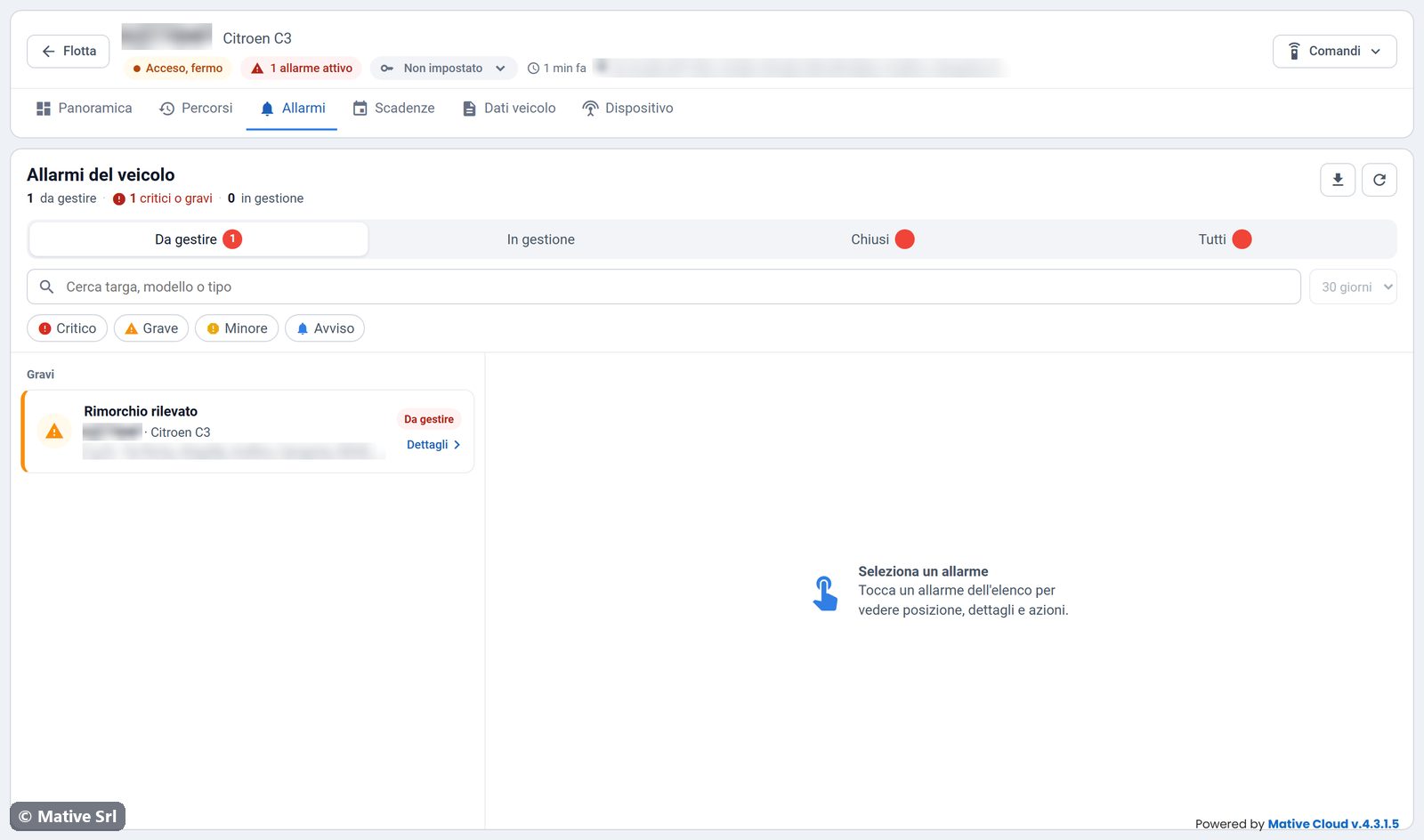
Open it with the Allarmi button on the fleet home. Under the title you see how many alarms are to be handled (da gestire), how many of them are critical or major, and how many are being handled (in gestione).
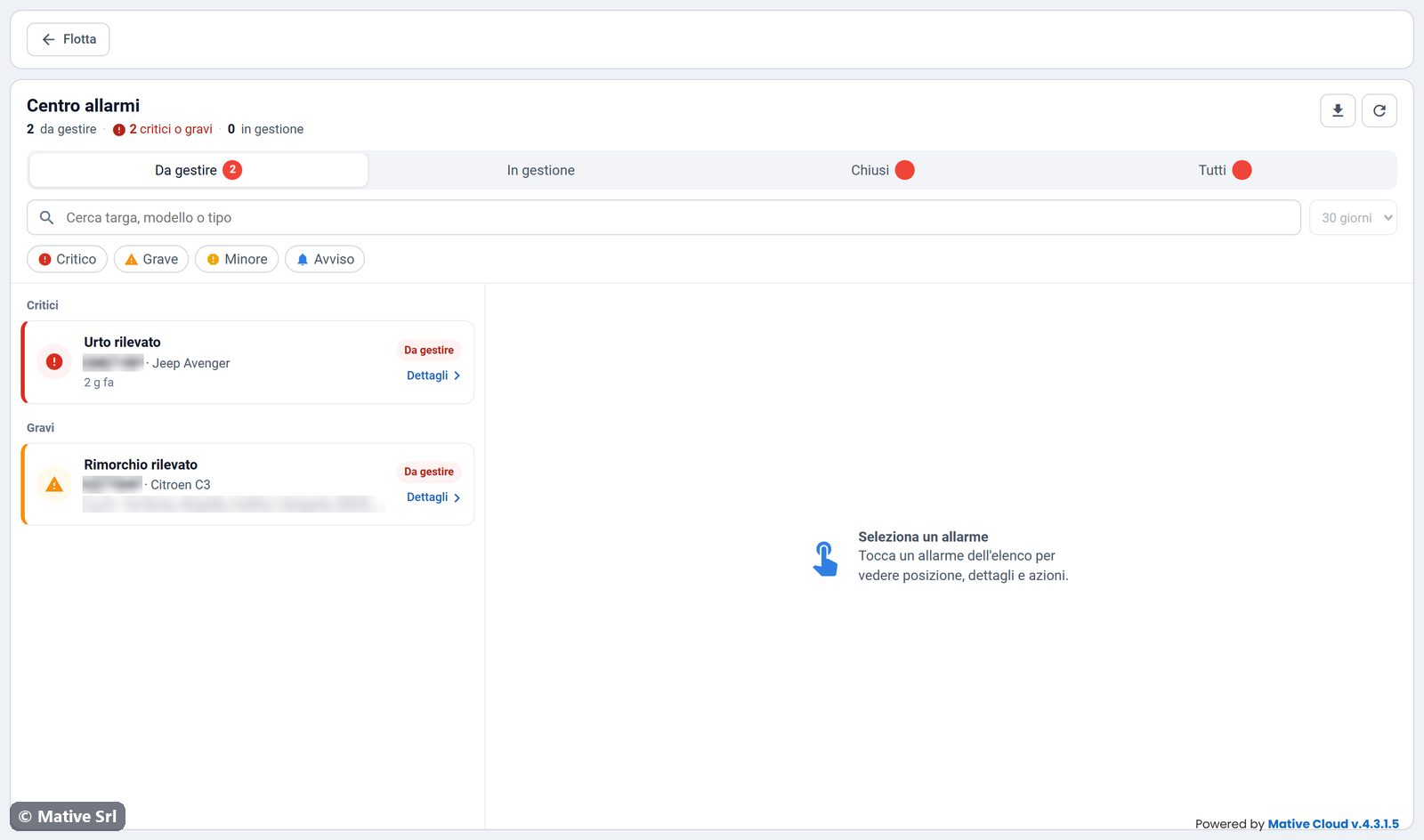
Tabs
| Tab | Alarms shown |
|---|---|
| Da gestire (to handle) | Open alarms nobody has taken charge of yet |
| In gestione (in progress) | Open alarms someone has taken charge of |
| Chiusi (closed) | Closed alarms in the selected period |
| Tutti (all) | All alarms in the selected period |
Filters
- Search (Cerca targa, modello o tipo): plate, model or alarm type.
- Period (24 ore, 7 giorni, 30 giorni, 90 giorni): applies to the Chiusi and Tutti tabs.
- Severity: Critico, Grave, Minore, Avviso. Click one or more to show only those alarms, and click again to remove the filter.
The list is grouped by severity, or by day for closed alarms. It refreshes by itself every 30 seconds. The ↻ button refreshes it immediately, and the download button exports the list to a CSV file.
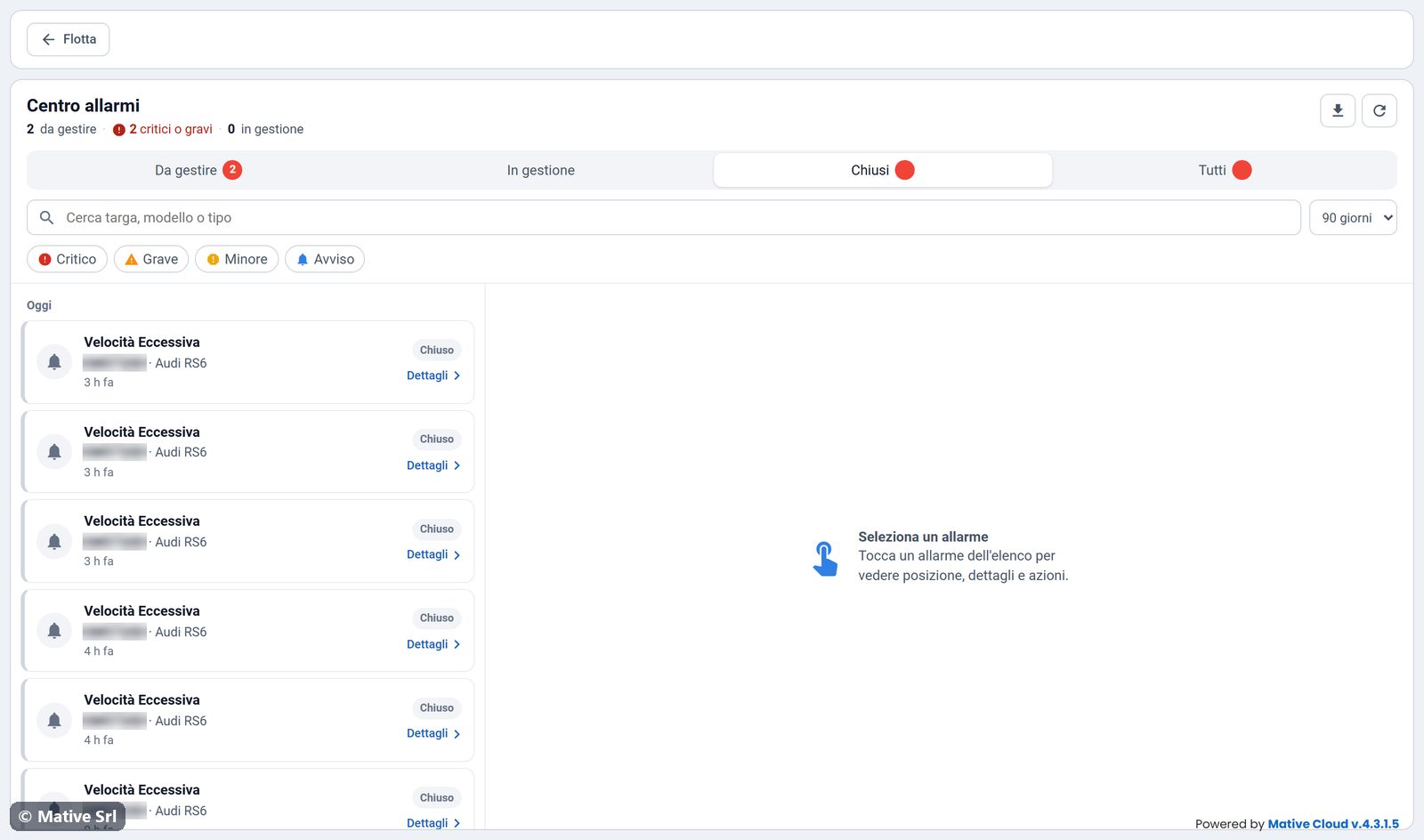
Alarm detail
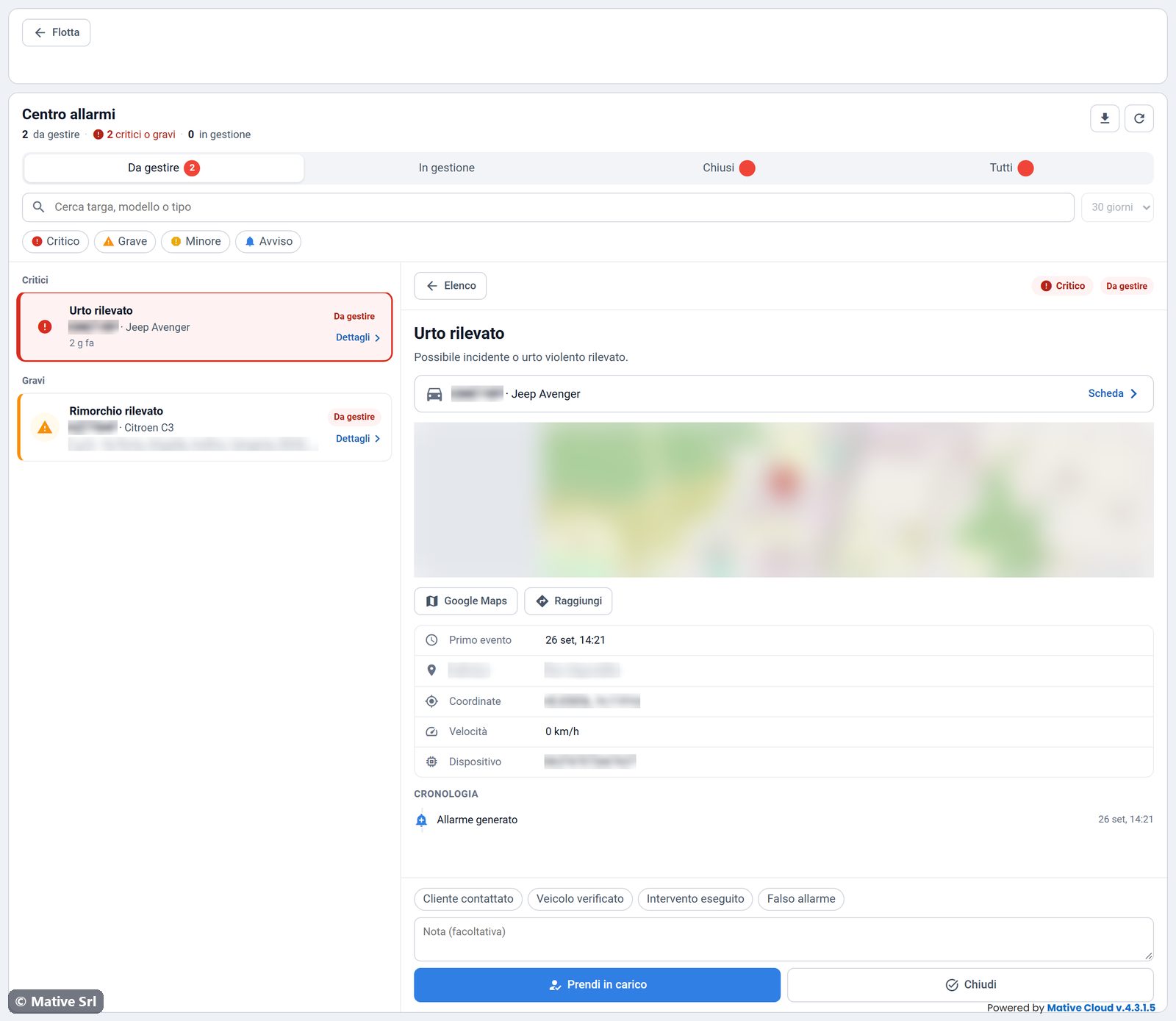
Click an alarm (or Dettagli) to open the detail on the right:
- type and description of the alarm, severity and status;
- the vehicle, with Scheda to open the vehicle page;
- the map of the position, with Google Maps and Raggiungi (directions);
- first event, address, coordinates, speed and tracker;
- Cronologia (timeline): when the alarm was generated, taken in charge and closed, with the notes.
Handling an alarm
- Optionally write a note in Nota (facoltativa). The quick buttons Cliente contattato (customer contacted), Veicolo verificato (vehicle checked), Intervento eseguito (action taken) and Falso allarme (false alarm) add their text to the note.
- Click Prendi in carico (take charge): the alarm moves to In gestione and the time is recorded.
- When the case is solved, click Chiudi (close) or Chiudi allarme: the alarm moves to Chiusi.
The note is saved in the timeline of the alarm together with the action. The time between the alarm and its handling feeds the Presa in carico KPI in the statistics.
On a smartphone
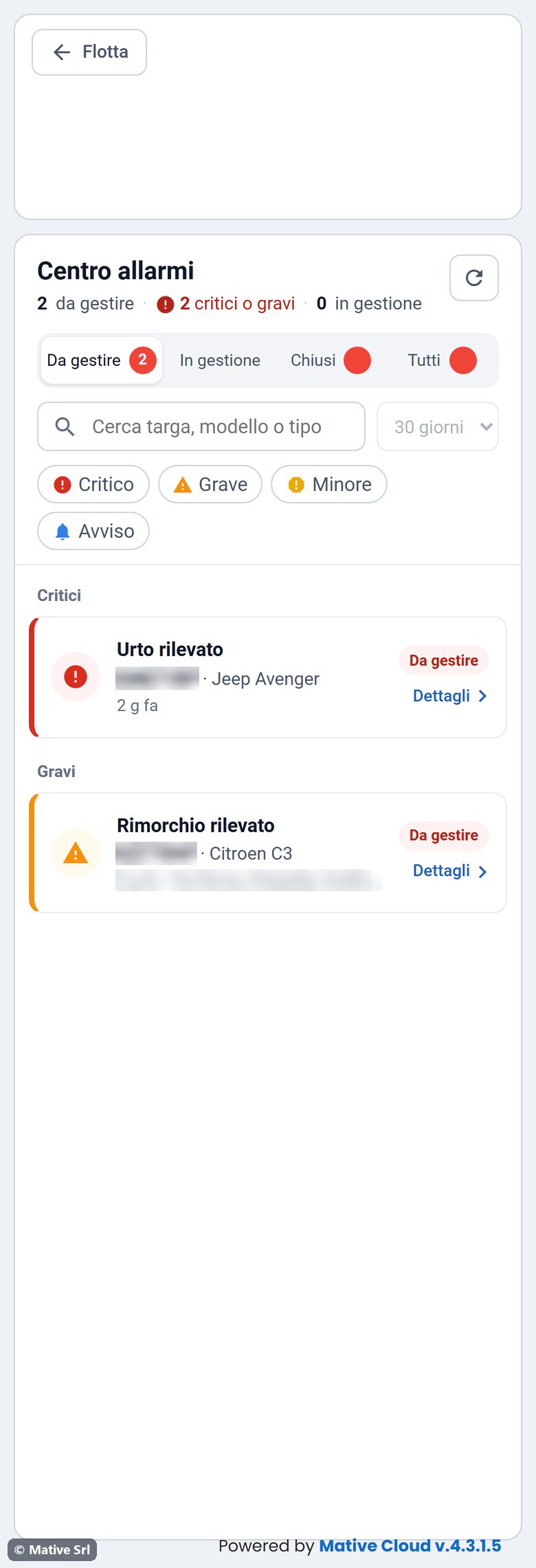
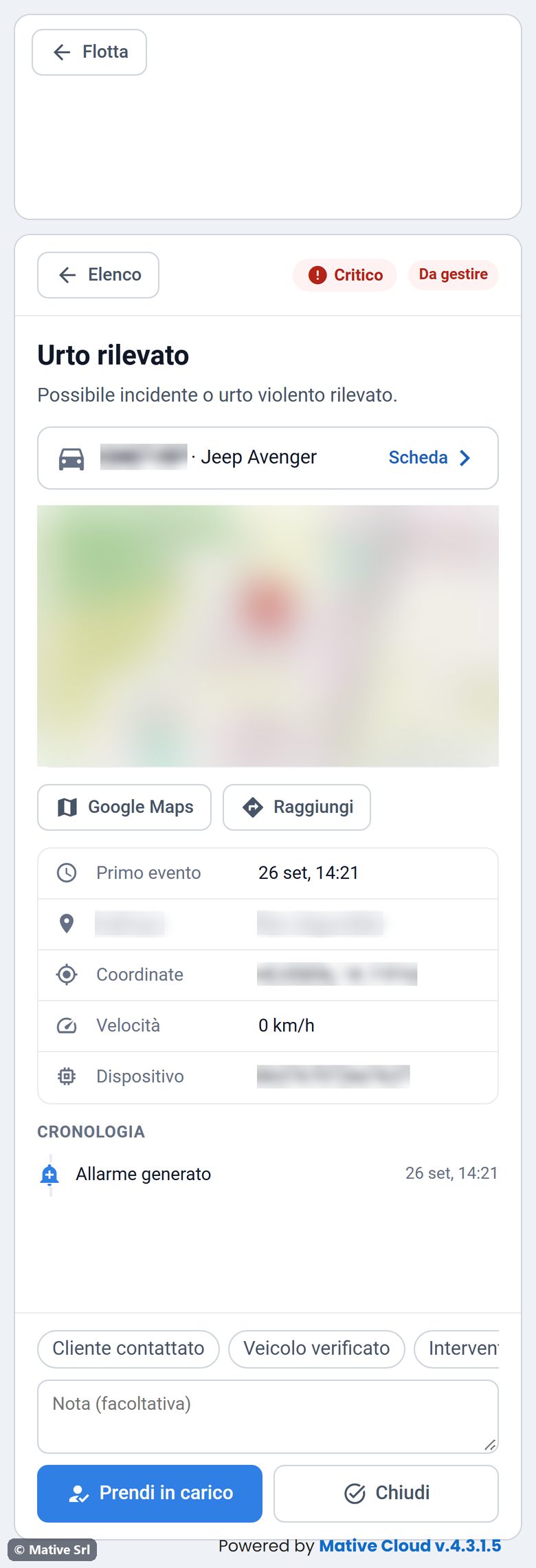
On a narrow screen the list takes the whole width. Tap an alarm to open the detail full screen, and use ← Elenco to go back to the list.
Vehicle alarms
The Allarmi tab of the vehicle page shows the same alarm centre, limited to that vehicle. The red chip N allarmi attivi in the header opens it directly.
Alarm types
| Alarm | Meaning |
|---|---|
| Urto rilevato, Incidente rilevato, Possibile Incidente | Possible crash or violent impact |
| Rimorchio rilevato, Movimento veicolo con iniezione spenta | Vehicle moving with the engine off: possible towing or theft |
| Velocità Eccessiva | The vehicle exceeded the safety speed limit |
| Sconfinamento Veicolo, Uscita geofence | The vehicle left the allowed area |
| Veicolo entrato in area non autorizzata, Ingresso zona vietata | The vehicle entered a forbidden zone |
| Alimentazione scollegata, Disconnessione Dispositivo | The tracker was disconnected from the main power or stopped communicating |
| Dispositivo rimosso, Dispositivo spento, Manomissione | Tracker removed, switched off or tampered with |
| Jamming GPS/GSM | Attempt to jam the GPS or mobile signal |
| Vibrazione | Abnormal vibration while the vehicle is stopped |
| Accelerazione brusca, Frenata brusca, Curva brusca | Harsh acceleration, braking or cornering |
| Sosta prolungata | Vehicle stopped with the engine on beyond the limit |
| Inattività prolungata | Vehicle not used for a long period |
| Batteria scarica, Batteria Staccata, Alimentazione bassa | Tracker battery low, vehicle battery disconnected, supply voltage too low |
| Rilevati errori centralina, Sforamento giri motore | Error codes from the engine control unit, engine speed above the limit |
| SOS / Emergenza | SOS request sent by the driver |
The alarms you receive depend on the tracker installed and on the rules configured for your fleet.